

The Real Cost of POS System Downtime in Grocery Stores
POS downtime hits hardest during peak hours. See what it really costs your grocery store per hour and how to prevent it.
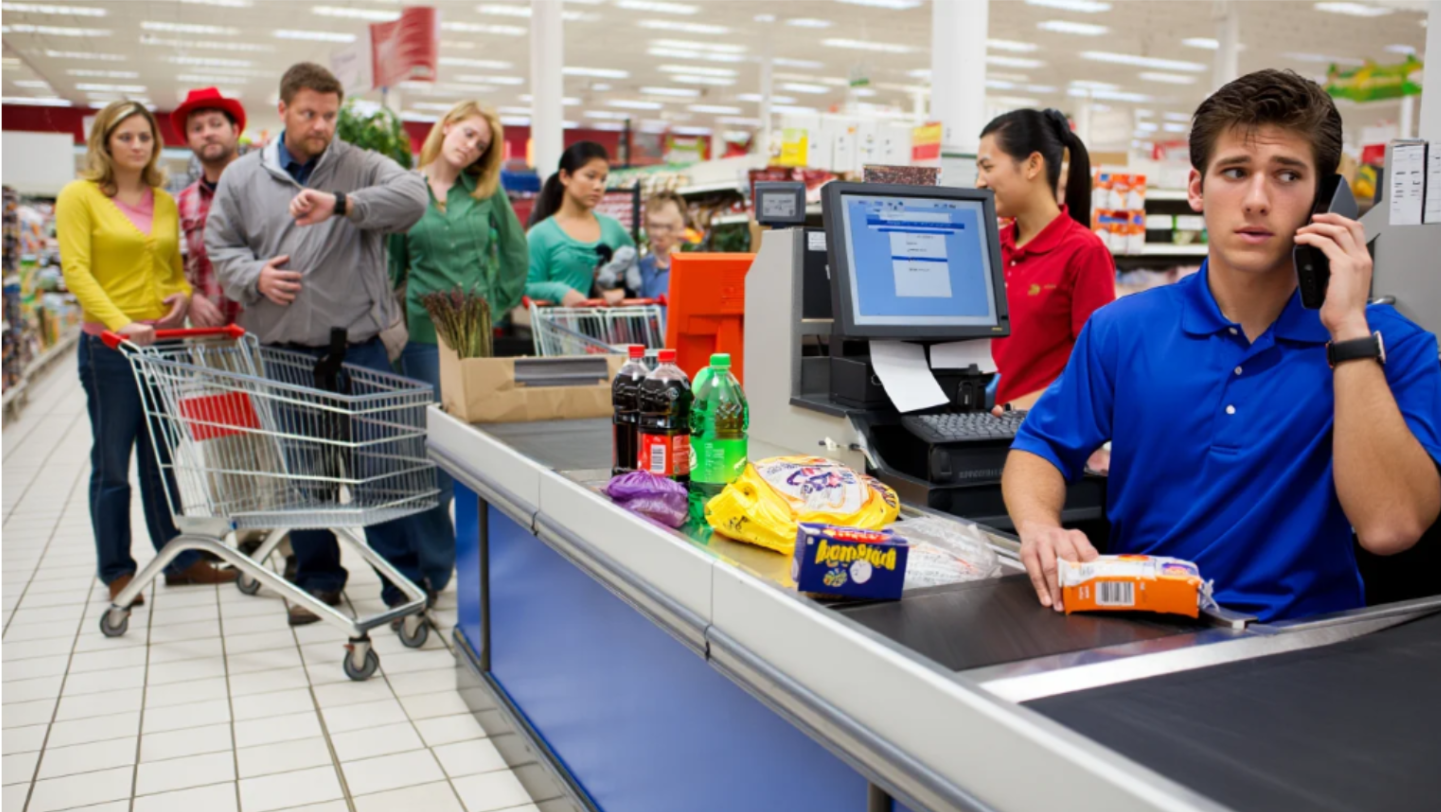
POS system downtime never happens at a convenient time. It hits during peak hours, busy weekends, and high-traffic moments when every transaction matters.A single frozen terminal during the evening rush can quickly lead to long checkout lines, frustrated customers, abandoned carts, and delayed payments. Employees are forced to manage transactions manually while new customers continue entering the store. In many cases, shoppers simply leave rather than wait for the system to recover, especially when multiple checkout lanes stop working at the same time.
For grocery stores operating on tight margins and high volume, even a short disruption can result in significant financial loss.
Understanding what POS downtime actually costs per hour helps you see why prevention is not optional.
Why POS Downtime Is More Expensive Than It Seems
Industry research has consistently shown that IT downtime can create major operational and financial disruption for businesses. Gartner has widely estimated the average cost of IT downtime at approximately $5,600 per minute for larger enterprise environments, highlighting how quickly system disruptions can become expensive. While grocery stores operate on a different scale, checkout interruptions during peak shopping hours can still create significant revenue loss through delayed transactions, abandoned carts, reduced throughput, and operational disruption.
Breaking Down the Hourly Cost of POS Downtime
To illustrate the potential impact, consider a typical grocery store during peak shopping hours.
1. Lost Sales During Downtime
For example, if a grocery store processes between 40 and 60 transactions per hour with an average basket size of around $25, even a short disruption can affect a significant amount of revenue. While some customers may wait, others may leave without completing their purchases, especially during busy evening or weekend periods.
If a POS system goes down during busy shopping periods, many transactions are delayed while some purchases may be lost entirely.
2. Abandoned Carts and Walkouts
Grocery shoppers expect checkout to be fast and convenient, especially during peak shopping hours when stores are crowded and customers are often shopping on tight schedules.
When checkout lines suddenly stop moving because of a POS issue, frustration builds quickly. Some customers leave full carts behind rather than wait for the system to recover, while others reduce their purchases to speed up checkout once lanes begin operating again. In grocery environments, where many purchases include frozen or perishable items, abandoned carts also create additional labor and product waste problems for store staff.
Over time, repeated checkout disruptions can also affect customer loyalty, as shoppers may choose competitors that offer a faster and more reliable checkout experience.
3. Reduced Throughput After Recovery
Downtime does not end when the system comes back.Even after systems are restored, grocery stores often continue feeling the effects of the disruption for hours. Checkout lanes become backed up, employees rush to clear long lines, and transaction speed slows as staff attempt to recover normal operations. In busy stores, this backlog can continue well beyond the original outage period, especially during evening rushes or weekend traffic. The result is lower customer throughput, delayed purchases, and continued pressure on both staff and store performance.
4. Staff Inefficiency and Overtime
During downtime, staff often switch to manual processes.
Cashiers and floor staff are often forced to process transactions manually, verify prices without system access, and manage frustrated customers at the same time. Once systems are restored, employees may also need to re-enter transactions, correct pricing errors, and reconcile payment records manually. These additional tasks increase labor costs, slow employee productivity, and can lead to overtime expenses during already busy operating hours.
5. Inventory and Reporting Errors
Manual transactions during downtime often lead to stock mismatches, incorrect sales records, and reporting gaps.In grocery stores, even small reporting inconsistencies can create larger operational problems over time. Inventory counts may no longer match actual shelf stock, making it harder for managers to track fast-moving or perishable products accurately. Incorrect sales data can also affect future purchasing decisions, demand forecasting, and promotional planning. When these reporting issues continue across multiple downtime incidents, they can reduce inventory accuracy and make daily operations more difficult to manage.
What Causes POS System Downtime in Grocery Stores
Downtime is rarely caused by a single issue. In most grocery environments, POS systems rely on multiple connected technologies, including payment processing, internet connectivity, hardware, software, inventory systems, and third-party integrations. When one part of the system fails, it can quickly affect checkout speed, transaction processing, and overall store performance.
One of the most disruptive situations for grocery stores occurs when POS systems crash during peak shopping hours, forcing checkout activity to slow down or stop completely. When systems fail during heavy store traffic, transaction flow slows down, customers become frustrated, and employees are forced to manage purchases manually while trying to keep operations moving.
Some of the most common causes of POS downtime in grocery stores include:
1. Internet Outages or Unstable Network Connections
Many modern POS systems rely heavily on stable internet connectivity for payment processing, cloud syncing, and transaction authorization. Slow or unstable networks can delay payments or stop transactions completely during busy shopping periods.
Easy Fix: Use backup internet connections and separate POS traffic from guest WiFi to improve network reliability during peak hours.
2. Old or Failing POS Hardware
Outdated checkout terminals, barcode scanners, receipt printers, and payment devices often struggle under heavy transaction volume. Aging hardware can freeze, disconnect, or fail unexpectedly during peak store hours.
Easy Fix: Replace aging hardware before failures occur and regularly test checkout equipment during high-traffic periods.
3. Software Crashes or Failed UpdatesPOS software issues, incomplete updates, or compatibility problems can interrupt checkout operations and create unexpected system instability.
Easy Fix: Schedule regular software updates, monitor system performance, and test updates before deploying them storewide.
4. Payment Processor or Credit Card Gateway OutagesEven when the POS system itself is functioning properly, external payment processing failures can stop credit and debit card transactions from completing successfully.
Easy Fix: Work with reliable payment providers and maintain backup payment processing options whenever possible.
5. Power Outages or Electrical FluctuationsShort power interruptions or unstable electrical conditions can shut down POS terminals, damage hardware, or interrupt network equipment throughout the store.
Easy Fix: Use battery backups (UPS systems) and surge protection to keep checkout systems stable during electrical disruptions.
6. Slow or Overloaded POS Databases or ServersHigh transaction volume during evenings, weekends, or holiday traffic can overload older POS databases and local servers, causing systems to slow down or crash.
Easy Fix: Upgrade server infrastructure and optimize database performance to handle peak transaction periods more efficiently.
7. Employee Errors or Improper System ChangesIncorrect settings, accidental configuration changes, or improper software handling can sometimes create checkout issues that affect daily operations.
Easy Fix: Provide regular employee training and limit critical system access to authorized staff members.
8. Third-Party Integration FailuresMany grocery stores rely on connected systems for loyalty programs, inventory management, online ordering, and delivery services. If one integration fails, it can affect POS performance across the store.
Easy Fix: Regularly monitor integrations and work with vendors that provide reliable support and compatibility updates.
9. Cybersecurity Threats or Malware InfectionsViruses, ransomware, and unauthorized system access can disrupt POS functionality, compromise payment systems, and create serious operational downtime.
Easy Fix: Install security updates regularly, use endpoint protection tools, and monitor systems for suspicious activity.
10. Lack of Backup Systems or RedundancyStores without backup internet connections, offline payment capabilities, or secondary checkout systems are far more vulnerable when primary systems fail.
Easy Fix: Create backup procedures and maintain redundant systems that allow checkout operations to continue during disruptions.
Warning Signs Before a System Failure
Most POS failures show early signals before a major system failure. Watch for:
Slower transaction speeds during busy hours
Frequent system freezes or restarts
Payment delays or connection errors
Devices disconnecting from the network
Inconsistent reporting data
These are indicators that your system is under stress and may fail under pressure.
How to Reduce POS Downtime and Protect Revenue?
Upgrade Outdated POS Hardware and Software Older POS terminals and outdated software often struggle during high transaction periods, especially in busy grocery environments where checkout speed directly affects customer flow. Systems that lag, freeze, or process payments slowly can create long lines and increase the risk of downtime during peak shopping hours. Upgrading to modern POS platforms allows grocery stores to handle larger transaction volumes more efficiently while improving overall checkout performance. Cloud-based systems can also provide better scalability, software updates, and system monitoring compared to older legacy setups.
Improve Network Reliability Across Checkout Systems
Many POS performance issues are caused by unstable or overloaded network connections rather than the checkout terminals themselves. Grocery stores often operate multiple connected systems at the same time, including payment terminals, inventory tools, mobile devices, and guest WiFi networks. Separating POS traffic from public internet usage can help reduce congestion and improve transaction stability during busy periods. Some retailers also use backup internet connections to minimize disruptions if the primary network fails unexpectedly.
Use Reliable Payment Processing Solutions
Payment processing delays can quickly slow down checkout operations, particularly during high-volume shopping periods when stores are handling hundreds of transactions per day. Reliable payment processing systems help reduce authorization delays, failed transactions, and connectivity interruptions that frustrate both customers and employees. Many grocery retailers now use modern POS and payment platforms such as Clover and Shift4 to improve transaction reliability and maintain smoother checkout experiences during busy store hours.
Perform Preventative System Maintenance
Regular maintenance plays a major role in preventing unexpected POS failures. Software updates, firmware upgrades, security patches, and performance monitoring help identify small issues before they become larger operational problems. Stores that delay maintenance often experience slower systems, payment processing errors, or compatibility issues that become more noticeable during peak traffic periods. Routine system testing also helps businesses confirm that checkout terminals, payment devices, and network connections are functioning properly before problems affect daily operations.
Create a Backup and Recovery Plan
Even well-maintained systems can occasionally experience unexpected disruptions, which is why grocery stores should have a clear backup and recovery process in place. Offline payment capabilities, backup terminals, documented emergency procedures, and access to responsive technical support can help staff continue serving customers while technical issues are being resolved. Working with an experienced IT partner can also reduce recovery time and help stores restore checkout operations more efficiently. QSS helps grocery retailers build more reliable POS environments designed to improve system stability and reduce operational downtime during busy shopping periods.
The Business Impact of Reliable POS Performance
Reliable POS performance supports nearly every part of grocery store operations. Faster checkout experiences help reduce customer frustration, improve transaction flow, and maintain steady sales during peak shopping periods. Employees are able to work more efficiently when systems operate consistently, while accurate transaction and inventory data help managers make better operational decisions. Over time, stable POS performance can improve customer trust and create a more reliable shopping experience across the store.
Final Thoughts
POS system downtime is not just a technical issue. It is a direct revenue risk.
For grocery stores, where volume and speed are critical, even a short disruption can cost thousands in lost sales, inefficiency, and operational stress.
Understanding these costs enables you to implement the appropriate measures to prevent downtime and safeguard your business.
Frequently Asked Questions
1. How much can POS downtime cost a grocery store per hour?
The financial impact of POS downtime depends on transaction volume, average basket size, and how long checkout operations are disrupted. During busy shopping periods, even a short outage can slow down customer flow, increase abandoned carts, and reduce completed purchases. Grocery stores operating on high-volume, low-margin models are particularly vulnerable because checkout efficiency directly affects daily revenue. The longer the disruption continues, the greater the operational and financial impact becomes.
2. What is the most common cause of POS system downtime
POS downtime is often caused by a combination of hardware, software, and network-related issues. Outdated checkout terminals, unstable internet connections, overloaded networks, and payment processing failures are among the most common causes in grocery environments. In some cases, stores also experience downtime because systems are not updated or properly maintained. Identifying the root cause early can help prevent recurring disruptions during high-traffic shopping periods.
3. Can POS systems work during internet outages
Some modern POS systems offer offline functionality that allows businesses to continue processing certain transactions even if internet connectivity is temporarily lost. However, offline capabilities vary depending on the POS provider and payment processor being used. In grocery environments, offline processing can help reduce checkout disruption during short outages, but transactions usually need to sync once connectivity is restored. Stores should still maintain backup procedures to avoid larger operational issues during extended outages.
4. How can I prevent POS system failures during peak hours
Reducing POS failures during busy shopping periods requires a combination of reliable infrastructure, stable networking, regular maintenance, and responsive technical support. Grocery stores should ensure checkout systems are updated, payment terminals are functioning properly, and POS traffic is separated from guest internet usage. Many retailers also use backup internet connections and cloud-based systems to improve reliability during high transaction periods. Proactive monitoring can help identify performance issues before they affect checkout operations.
5. Is upgrading a POS system worth the investment
Upgrading a POS system can improve transaction speed, reduce downtime risk, and create a smoother checkout experience for both customers and employees. Older systems often struggle during high-volume shopping periods, leading to slower payments and increased operational issues. Modern POS platforms also provide better reporting, inventory tracking, and payment processing capabilities that help grocery stores operate more efficiently. Over time, improved system reliability can help reduce revenue loss caused by checkout disruptions.
6. How long does it usually take to recover from POS downtime
Recovery time depends on the cause of the outage and how prepared the business is to respond. Minor software or connectivity issues may be resolved within minutes, while hardware failures or network outages can take significantly longer. Grocery stores that maintain backup systems and access to technical support are typically able to restore checkout operations faster. Having a documented recovery process can also reduce confusion during busy operating hours.
7. Can cloud-based POS systems reduce downtime
Cloud-based POS systems can improve flexibility and system monitoring, but overall reliability still depends on internet stability, hardware quality, and payment processing infrastructure. Many modern cloud platforms provide automatic updates, remote troubleshooting, and better scalability during busy shopping periods. These features can help grocery stores reduce performance issues caused by outdated software or overloaded local systems. However, businesses should still maintain backup connectivity and recovery procedures in case of internet disruptions.
8. Why do POS systems slow down during busy hours
POS systems often slow down when older hardware, overloaded networks, or payment processing systems struggle to handle high transaction volumes. Grocery stores experience especially heavy demand during evenings, weekends, and holiday shopping periods when multiple checkout lanes are operating simultaneously. Slow processing speeds can create longer lines, delayed payments, and customer frustration. Regular maintenance and upgraded infrastructure can help improve performance during peak traffic periods.
9. What should grocery stores look for in a POS support provider?
Grocery stores should look for POS support providers that offer fast response times, reliable technical assistance, and experience working with high-volume retail environments. Support teams should be able to troubleshoot payment processing issues, network disruptions, hardware failures, and software problems quickly to minimize checkout interruptions. Many retailers also prefer providers that offer proactive system monitoring and ongoing maintenance support. A responsive support partner can help reduce downtime and improve long-term system reliability.
Free POS Profit Leak Check
Frequent checkout slowdowns, payment failures, and unexpected POS disruptions can quietly reduce revenue over time, especially during busy shopping periods. Evaluating your current POS setup can help identify hidden operational risks, network issues, and checkout bottlenecks that may be affecting customer experience and daily performance. QSS helps grocery retailers implement reliable POS and payment solutions designed to improve transaction stability, reduce downtime, and support smoother store operations during peak hours.
Reviewing your current POS environment can help uncover opportunities to improve reliability, reduce operational disruption, and create a faster checkout experience for both customers and staff.