

Keep POS Off Guest WiFi: Faster Payments, Stronger Security
Mixing your POS system with guest WiFi is like throwing a wrench in your checkout line. Slow payments, random outages, and security risks all pile up when your POS traffic isn’t separated. In this post, you’ll learn why you need to separate POS from guest WiFi to get faster credit card processing and tighten your restaurant POS security—plus a simple checklist to fix it today.
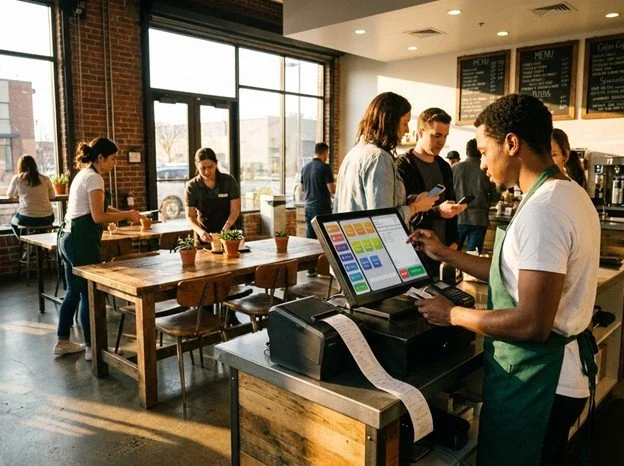
Why Separate POS From Guest WiFi
Keeping your POS separate from guest WiFi isn't just a tech tweak; it's a game-changer for your business. Let's dive into the benefits.
Improve Payment Speed
Think of busy weekends: customers lining up, credit cards out, and suddenly, payments drag. When your POS shares WiFi with guests, the network gets crowded. More devices mean slower processing. 60% of payment delays come from network congestion.
By separating your POS, payments speed up. Your customers will thank you for those quick transactions. Plus, your staff will appreciate a smoother workflow. Faster payments mean more satisfied guests and less stress for everyone involved.
Enhance Security and PCI Compliance
Security is serious business. Mixing POS and guest traffic can turn into a hacker's playground. Your customer's data deserves protection. Keeping POS networks distinct reduces vulnerabilities.
Separate networks also help with PCI compliance. You want to show that your business takes data protection seriously. Protecting card info isn't just good practice; it's a trust builder. Customers expect safety, and you'll deliver it by keeping networks apart.
Reduce Downtime Risks
Picture this: your restaurant's thriving, and then—boom—your POS goes down. When POS and guest WiFi share space, problems with one can impact the other. Outages mean lost sales and frustrated customers.
Splitting networks ensures that guest WiFi hiccups won't bring your system to a halt. Your team stays focused, and your business keeps humming. Less downtime means more uptime, which is exactly what you need during peak hours.
Steps for POS Network Segmentation
Ready to make the switch? Here are the steps to isolate your POS for a better, faster, safer system.
Create Dedicated SSIDs
Start by setting up separate SSIDs for your POS and guest traffic. It might sound technical, but it's a simple process. Use your router's settings to create distinct networks. Ensure only your POS devices connect to the dedicated one.
This separation keeps guest traffic from impacting your POS. It's like creating a VIP lane just for payments. Your internet connection handles the load more efficiently, without lags or interruptions.
Implement Firewall for POS Security
A firewall acts like a digital bouncer for your POS network. It monitors traffic and blocks potential threats. Set up a firewall specifically for your POS system. This adds an extra layer of security that keeps cyber threats at bay.
With a firewall, you control what enters and exits your POS network. It's peace of mind knowing that external threats are blocked while your transactions process safely and smoothly.
Use VLAN for POS Devices
VLANs, or Virtual Local Area Networks, are a way to segregate network traffic. By using VLANs, you can further isolate your POS from other devices. It's like having different lanes for different types of data.
Configuring VLANs ensures that your POS traffic gets priority. Your payments process faster and stay secure. VLANs enhance your network's performance without needing extra equipment.
Gain From QSS POS Network Check
Now that you've learned about splitting networks, see how QSS can help perfect your setup.
Quick Assessment and Risk Score
Our experts offer a swift assessment of your current network. We provide a clear risk score highlighting potential vulnerabilities. Know where you stand and what needs attention.
Clear Guidance Without Jargon
No tech speak here—just straightforward advice. We break down what matters and guide you on improvements. Our goal is to make your network optimal without the confusion.
Reliable NYC/NJ POS Support
Need help implementing changes? Our NYC and NJ support team is just a call away. We're here with 24/7 assistance and solutions tailored to your business needs.
By separating your POS from guest WiFi, you speed up credit card processing and bolster security. These changes are essential for success in today's fast-paced world. Trust QSS to guide you through the process.