

Rush-Ready Tech: Your Late‑Summer POS & IT Checklist for NYC/NJ Restaurants and Grocers
The late-summer rush in NYC and NJ hits hard—and your POS and IT systems can’t afford to miss a beat. Every minute your registers or payment systems stall means lost customers and stress you don’t need. Let’s cut through the noise: this checklist will keep your tech ready, your lines moving, and your peace of mind intact. Ready to handle the heat without surprises?
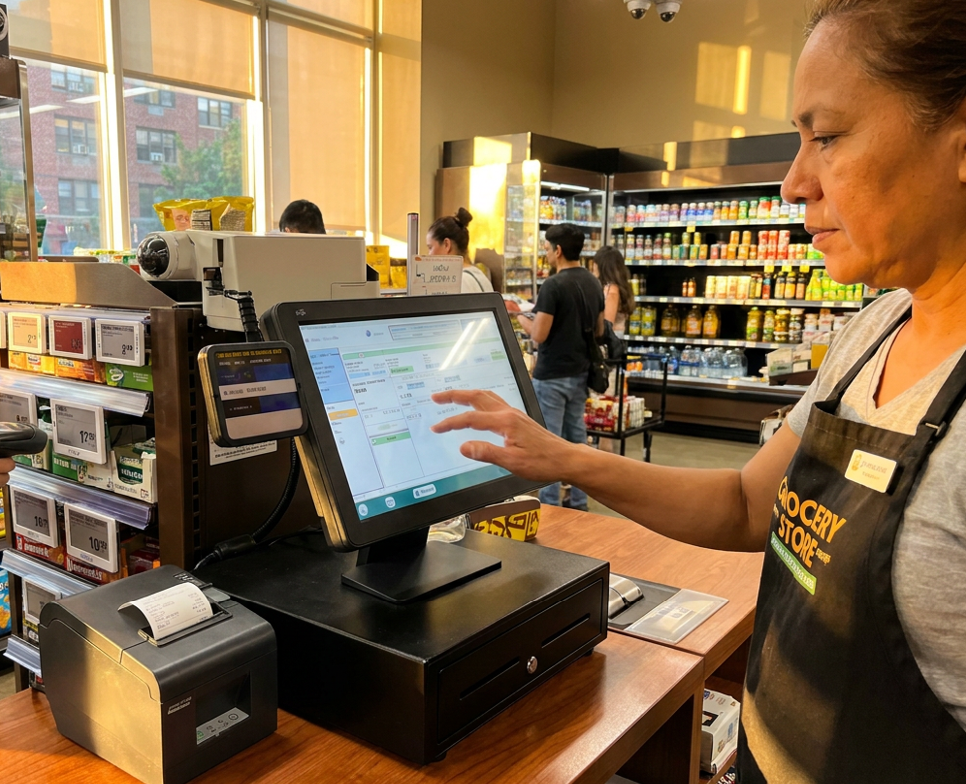
Streamlining POS Systems
As the summer rush approaches, keeping your POS systems in top shape is essential. Here’s how to ensure they run smoothly.
Tips for POS Downtime Prevention
Don't let downtime eat into your profits. Start with these steps:
Regular Maintenance: Schedule check-ups for your systems. A quick monthly review can catch issues early.
Backup Plans: Ensure you have a manual process in place. If tech fails, you can still serve customers.
Software Updates: Keep your POS software up-to-date. Updates fix bugs and improve performance.
Stay proactive to minimize disruptions. The less downtime, the more you can focus on your customers.
Multi-location POS Management
Running multiple locations? Here’s the key to seamless management:
Unified Systems: Use consistent technology across sites. It simplifies training and troubleshooting.
Centralized Control: Monitor your POS from a central hub. It saves time and reduces errors.
Data Insights: Track sales and inventory in real-time. This helps you respond quickly to trends.
Managing multiple sites doesn’t have to be chaotic. With the right approach, you can keep everything in sync.
POS Installation and Training NYC NJ
Getting set up in NYC or NJ? Here’s what to focus on:
Expert Installation: Professional setup ensures everything works from day one.
Staff Training: Invest in thorough training for your team. Confident staff operate systems better.
Ongoing Support: Choose a provider that offers continuous help. You’ll want quick solutions when issues arise.
A smooth start means fewer headaches later. Set up your POS right the first time for long-term success.
Boosting IT Infrastructure
Technology is the backbone of your business operations. Let’s make sure it’s rock-solid.
Managed IT for Restaurants
Restaurants have unique IT needs. Here’s how to meet them:
24/7 Support: Ensure your IT support is always available. Issues don’t keep business hours.
Routine Checks: Regular IT audits prevent surprise failures.
Seamless Integration: Your IT should work well with your POS. This reduces operational friction.
Managed IT takes the burden off your shoulders, letting you focus on what you do best.
WiFi for Grocery Stores
Fast, reliable WiFi can enhance the shopping experience. Here’s what to consider:
Coverage: Ensure strong signals throughout your store. Dead zones frustrate customers.
Security: Protect your network with strong passwords and encryption.
Bandwidth Management: Allocate bandwidth wisely. Prioritize essential operations.
A robust WiFi setup keeps customers happy and operations smooth.
Backup and Disaster Recovery Retail
Prepare for the unexpected with these steps:
Regular Backups: Schedule automatic backups of important data.
Disaster Plan: Have a recovery plan in place. Know exactly what to do if systems fail.
Test Your Plan: Regular drills ensure everyone knows their role in an emergency.
Being prepared minimizes downtime and financial impact.
Strengthening Security and Payments
Security is crucial in protecting your business and customers. Let’s make sure you’re covered.
Cybersecurity for Small Business Retail
Small businesses are targets too. Protect yours with these tips:
Firewall Protection: Set up firewalls to block unauthorized access.
Employee Training: Educate your team on safe online practices.
Regular Updates: Keep your security software up to date.
A strong defense deters cyber threats and keeps your business safe.
Payment Processing NYC NJ
Efficient payment processing boosts customer satisfaction. Here’s how to optimize:
Fast Transactions: Ensure your systems process payments quickly.
Multiple Payment Options: Accept a variety of payment methods. Convenience increases sales.
Secure Systems: Implement security measures to protect customer data.
Smooth payments mean happy customers and repeat business.
EMV PCI Compliance Help
Stay compliant to avoid fines and protect your reputation. Here’s what to do:
Understand Regulations: Know the requirements for EMV and PCI compliance.
Regular Audits: Conduct compliance checks to ensure you meet standards.
Professional Guidance: Work with experts to navigate compliance issues.
Compliance isn’t just a legal requirement—it’s a trust builder with your customers.
Frequently Asked Questions
How often should I update my POS software?
Update your POS software monthly. Regular updates fix bugs and improve security.
What’s the best way to handle IT issues after hours?
Choose a provider offering 24/7 support. This ensures help is available whenever you need it.
How can I improve WiFi coverage in my grocery store?
Use a network of access points to ensure strong signals throughout the store. This reduces dead zones and improves connectivity.
What steps should I take to ensure PCI compliance?
Regularly conduct audits, understand compliance requirements, and work with professionals to ensure all standards are met.
Why is cybersecurity important for small businesses?
Cybersecurity protects your business and customer data from threats, preventing financial and reputational damage.