

How to Choose the Right POS System for Your Grocery Store
Discover how the right grocery store POS system reduces checkout delays, improves transaction speed, and increases revenue for grocery stores.
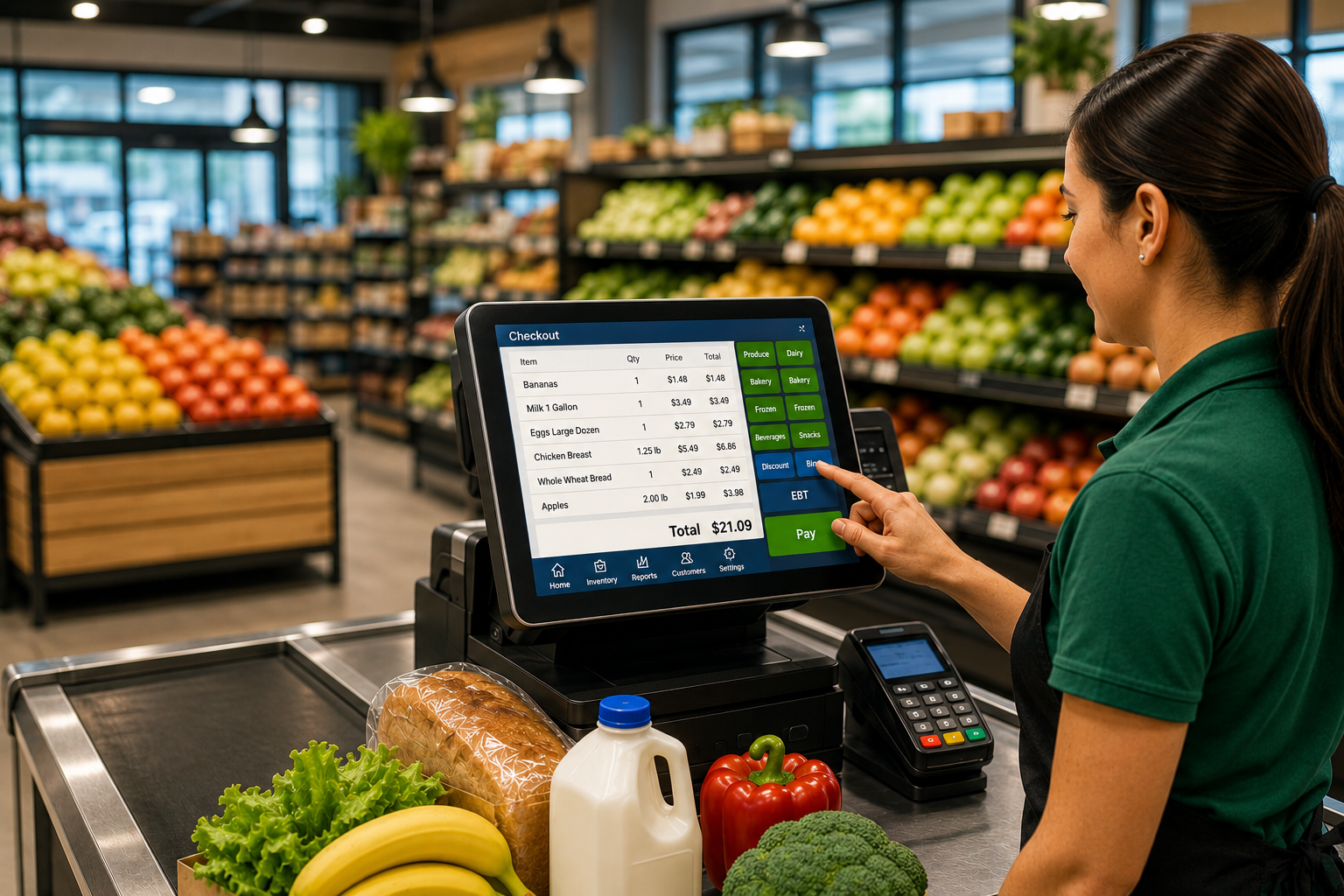
Long checkout lines in your grocery store might seem like a minor inconvenience but in reality, they could be quietly draining thousands of dollars from your business every year.
In today’s fast-paced retail environment, customers expect speed, convenience, and seamless transactions. This is especially true in busy areas like NYC and New Jersey where grocery stores experience high foot traffic during peak hours. When checkout slows down, the impact goes beyond frustration. It directly affects sales, customer retention, and operational efficiency.
In a competitive grocery retail environment, even small delays at checkout can create a significant impact on daily operations. Grocery stores handling high customer volumes, especially in NYC and New Jersey, need systems that can process transactions quickly and reliably. Choosing the right grocery store POS system plays a critical role in reducing wait times, improving transaction speed, and ensuring a smooth customer experience throughout the day.
In this guide, we’ll break down exactly how slow checkout lines cost you money and what you can do to fix it.
The Hidden Cost of Slow Checkout Lines in Grocery Stores
Most grocery store owners focus on the visible problem, which is long lines. However, the real impact happens behind the scenes and affects daily operations and customer retention.
Lost Sales from Walkouts
Customers don’t always wait. During busy shopping hours, many shoppers leave their carts when lines move slowly, especially when they are looking for quick purchases.This behavior is especially common during peak hours when customers are in a hurry and looking for convenience. In busy grocery stores, even a short delay can lead to abandoned carts, directly impacting daily revenue and overall store performance.
Reduced Transaction Speed = Lower Revenue
If each transaction takes just 10 to 15 seconds longer during busy hours, fewer customers can be served. Over time, this creates bottlenecks and missed sales opportunities.These small delays gradually reduce the number of customers served per hour, leading to missed sales opportunities. A store that could have served 60 customers per hour may only serve 45–50, reducing efficiency during peak hours and limiting overall revenue potential.
Poor Customer Experience
Slow checkout does not just affect one transaction. Customers remember long wait times and may choose another store next time. In competitive retail environments, speed and convenience often influence where customers shop.In highly competitive grocery markets, customers have multiple options. A slow checkout experience can influence their decision to switch to another store that offers faster service and better convenience.
What’s Slowing Down Your Checkout Process?
Most grocery stores don’t have just one issue, it’s usually a combination of problems.
1. Outdated POS Systems
Older POS systems often struggle to handle high transaction volumes and modern payment methods. These limitations become more noticeable during busy hours.
These systems may also struggle with modern payment methods such as contactless payments and mobile wallets, further slowing down the checkout process and creating friction during transactions.
2. Weak Network & Connectivity Issues
Your POS is only as fast as your network.
Common issues include slow WiFi, network congestion, and lack of dedicated POS bandwidth. These problems can significantly slow down checkout operations.
Ensuring stable internet and backup connectivity helps prevent costly downtime and keeps your checkout running smoothly.
Reliable connectivity becomes essential during peak shopping hours when transaction volume increases. During peak hours, when multiple POS terminals rely on the same network, even minor connectivity issues can significantly delay transaction processing and increase customer wait times.
3. Payment Processing Delays
Slow payment processing increases wait times at checkout. When transactions take longer, queues build quickly and customer frustration increases.Delayed approvals and slow communication between payment terminals and processors can create bottlenecks, especially when multiple customers are waiting in line.
4. Inefficient Checkout Workflow
Manual price checks, slow barcode scanning, and switching between systems can slow down checkout and reduce efficiency.When systems are not integrated, employees often need to switch between screens or manually verify prices, which increases transaction time and reduces checkout efficiency.
5. Lack of Staff Training
Staff training also plays an important role. Even efficient systems can slow down if employees are unfamiliar with shortcuts or workflows.Lack of training can also lead to frequent errors, void transactions, and delays, especially during high-traffic periods when speed and accuracy are critical.
How Much Is It Really Costing You?
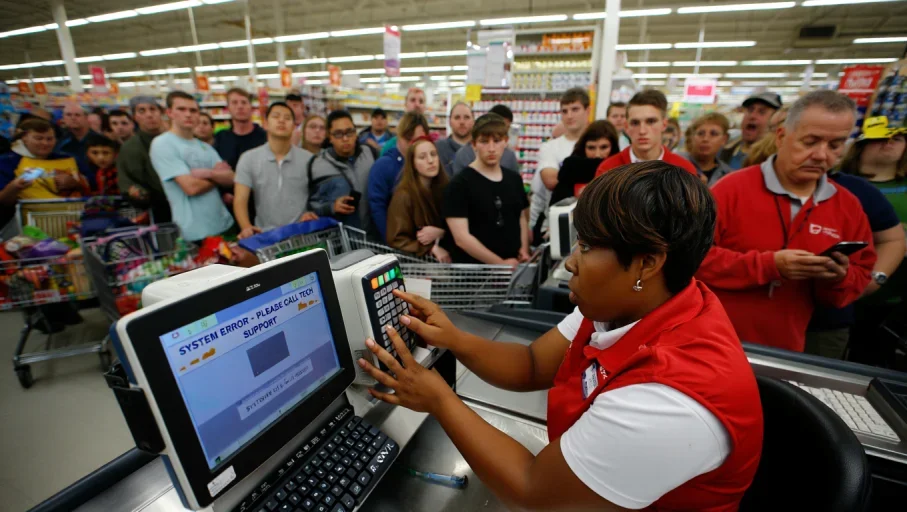
Let’s look at an illustrative example.
If a grocery store loses just 5 customers per day because of long checkout lines, and the average cart value is $30, that results in approximately $150 in lost daily revenue.
Over the course of a year, that can add up to more than $54,000 in missed sales. This example does not include additional losses from slower checkout throughput, missed upsell opportunities, or reduced repeat customers.
Signs Your Checkout System Needs an Upgrade
If you notice any of these, your system is costing you money:
Checkout slows during peak hours
POS system freezes or lags
Lines build up quickly even with multiple counters
Customers complain about wait times.
Key Features to Look for in a Grocery Store POS System
Advanced Grocery POS Features That Modern Stores Need
Modern grocery stores require far more than basic checkout functionality. Today’s grocery POS systems help manage inventory, reduce operational inefficiencies, improve compliance, and support faster decision-making across every department. Advanced grocery-specific features allow stores to improve customer experience while increasing operational efficiency and profitability.
Inventory Management & Automatic Reordering
Inventory management has become one of the biggest operational priorities for grocery stores. A modern grocery POS system should provide real-time inventory tracking across all departments, helping store owners monitor stock levels, reduce manual inventory work, and prevent stock mismatches.
Automatic reordering features help grocery stores avoid out-of-stock situations by triggering supplier purchase orders when inventory reaches predefined thresholds. This is especially important for fast-moving grocery items where delays in replenishment can directly impact revenue and customer satisfaction.
Modern systems also support multi-location inventory synchronization, allowing grocery businesses with multiple stores to manage inventory centrally while maintaining accurate stock visibility across all locations.
Expiration & Shelf-Life Tracking
Expiration tracking is critical for grocery stores handling perishable products such as dairy, produce, meat, frozen foods, and bakery items. Grocery POS systems with shelf-life tracking can automatically identify products approaching expiration dates and help staff take action before products become unsellable.
Automated expiration alerts and markdown pricing help reduce food waste while improving inventory turnover. These features also support food safety compliance and help grocery stores maintain better product quality for customers.
Shrinkage Management
Shrinkage is one of the largest hidden costs in grocery retail. Modern grocery POS systems help reduce shrinkage by tracking inventory discrepancies, monitoring spoilage, identifying damaged goods, and improving employee accountability.
Detailed inventory reporting helps grocery stores identify where losses are happening most frequently, whether through theft, spoilage, administrative errors, or supplier discrepancies. Improved visibility helps reduce unnecessary losses and improve profitability.
Self-Checkout & Produce Recognition
Self-checkout technology has become increasingly important in modern grocery environments. Grocery POS systems now support self-checkout lanes with AI-powered produce recognition that can automatically identify fruits and vegetables without requiring manual PLU entry.
This helps reduce checkout time, improve customer convenience, and reduce pressure on front-end staff during peak shopping hours. Faster self-checkout systems also help grocery stores serve more customers efficiently while improving the overall shopping experience.
Price Change & Markdown Automation
Frequent price changes are common in grocery retail due to promotions, supplier cost fluctuations, and expiration management. Modern grocery POS systems allow stores to automate price updates, promotional discounts, and markdown pricing across departments.
Automated pricing reduces manual work, improves pricing accuracy, and helps ensure consistent promotions across all checkout lanes. Dynamic markdown features are especially valuable for reducing losses on near-expiry products.
Loyalty Programs, Coupons & Promotions
Customer retention is essential in competitive grocery markets. Advanced grocery POS systems support loyalty programs, digital coupons, gift cards, rebates, and personalized promotions that encourage repeat business.
Integrated promotional systems also allow grocery stores to track customer buying behavior and create targeted offers based on shopping patterns. These features help increase customer engagement and improve long-term retention.
Staff Scheduling & Workforce Management
Modern grocery POS systems also help manage workforce operations more efficiently. Features like employee scheduling, shift management, attendance tracking, and cashier performance monitoring help grocery stores optimize labor costs and improve operational efficiency during peak shopping hours.
Integrated workforce management also helps reduce understaffing issues, improve customer service, and ensure smoother checkout operations across all departments.
EBT, SNAP & WIC Compliance
Compliance support is essential for grocery stores serving customers who use government assistance programs. Modern grocery POS systems help automate EBT, SNAP, and WIC transactions while ensuring accurate item eligibility validation during checkout.
Built-in compliance tools reduce manual errors, speed up payment processing, and help grocery stores remain compliant with federal and state regulations.
Operational Efficiency Through Real-Time Inventory Visibility
Inventory inaccuracies often create operational delays that impact checkout speed and customer satisfaction. Real-time inventory synchronization helps grocery stores maintain accurate stock counts while reducing manual adjustments.
Automated inventory management also improves supplier coordination and ensures that high-demand products remain available during peak shopping periods.
Use AI Forecasting and Business Intelligence
Modern grocery POS systems now include advanced reporting and AI-driven forecasting capabilities. These systems help grocery stores analyze customer buying patterns, identify top-performing product categories, and forecast seasonal demand more accurately.
Department-level operational intelligence helps store owners make better purchasing decisions, optimize staffing, improve product placement, and increase profitability across different departments.
Build Transaction Resilience
High transaction reliability is critical in grocery environments where even short periods of downtime can significantly impact revenue. Modern grocery POS systems include failover protection, offline transaction capability, cloud backups, and automatic data recovery features.
These capabilities help grocery stores continue processing transactions during internet outages or system interruptions, reducing downtime and maintaining smooth operations during peak hours.
Grocery POS Systems Have Evolved Beyond Transactions
Modern grocery POS systems have evolved far beyond simple transaction processing. Today, they function as operational orchestration platforms, food logistics systems, compliance management tools, forecasting engines, and shrink management solutions that support every aspect of grocery store operations.
From inventory automation and AI forecasting to customer loyalty programs and compliance management, grocery POS systems now play a central role in improving efficiency, reducing operational costs, and supporting long-term business growth.
Choosing the right grocery store POS system is not just about speed. It also depends on the features that support daily operations and improve checkout efficiency. Grocery stores require specialized functionality that goes beyond standard retail POS systems.
Key features to consider include:
High-speed barcode scanning to reduce delays during checkout
EBT and WIC payment support for smooth government-assisted transactions
Scale integration for accurate pricing of weighted items like produce and deli products
Multi-lane support to manage multiple checkout counters efficiently
Real-time inventory synchronization to avoid stock mismatches
Detailed reporting and analytics to track sales performance and identify peak hours
A POS system with these features helps grocery store owners streamline operations, reduce manual work, and improve overall customer experience.
How to Fix Slow Checkout and Increase Revenue
Improving checkout speed starts with identifying where delays are happening and choosing the right systems to remove those bottlenecks. Grocery stores handle a high volume of daily transactions, and even small delays can quickly affect customer satisfaction and overall revenue. A faster checkout process improves store efficiency, supports staff performance, and creates a better shopping experience for customers.
1. Upgrade to a High-Speed POS System
Modern grocery stores need POS systems that can handle high transaction volumes without slowing down, especially during busy shopping hours. Older systems often struggle with barcode scanning, payment processing, and managing multiple checkout lanes at once.
A high-speed POS system helps process transactions faster, supports contactless and digital payments, and improves reliability during peak hours. For grocery stores, features like EBT and WIC payment support, PLU codes for produce, scale integration for weighted items, age verification for restricted products, and department-level reporting are essential for smooth daily operations. These features help reduce manual work, improve checkout speed, and support better inventory and sales management.
This ensures that grocery stores can maintain consistent performance even during peak hours without system slowdowns or transaction failures.
2. Optimize Your Network for POS Traffic
Your POS system depends heavily on stable internet and network connectivity. Even a strong POS setup can slow down if the network is weak or overloaded. Slow WiFi, network congestion, and shared guest internet often create checkout delays that frustrate both staff and customers.
Separating POS traffic from guest WiFi, using dedicated bandwidth, and upgrading routers can significantly improve transaction speed. Reliable network infrastructure helps prevent payment failures, system lag, and downtime during the busiest hours of the day.A well-optimized network also reduces the risk of downtime, which can otherwise bring checkout operations to a complete halt.
3. Improve Payment Processing Speed
Payment processing delays are one of the most common reasons checkout lines grow quickly. If card approvals take too long or payment terminals respond slowly, even short delays create long customer wait times.
Using reliable payment processors and enabling faster payment options like tap-to-pay and mobile wallets helps reduce these delays. Quick and smooth payment processing allows stores to serve more customers efficiently while improving the overall checkout experience.Faster payment processing not only reduces wait times but also improves overall customer flow within the store.
4. Streamline Checkout Workflow
Manual price checks, inefficient barcode scanning, and switching between multiple systems can slow down the checkout process. These small interruptions create larger problems during high-traffic periods.
Automating inventory updates, pricing systems, and reporting reduces unnecessary manual work. Integrating POS, payments, and inventory management into one smooth workflow helps employees work faster and improves checkout consistency across all counters.Streamlined workflows ensure that each transaction is completed smoothly without unnecessary interruptions.
5. Train Staff for Efficiency
Even the best POS system can create delays if staff are not fully trained. Employees who understand system shortcuts, payment handling, and fast checkout techniques can process customers much more efficiently.
Regular training helps reduce mistakes, improves speed, and gives employees more confidence during busy shifts. Well-trained staff also improve customer experience because transactions feel smoother and more organized.Efficient staff contribute significantly to faster checkout and better customer satisfaction.
6. Use Real-Time Reporting
Real-time reporting helps grocery store owners identify where checkout problems are happening most often. This data makes it easier to understand peak shopping hours, slow checkout lanes, and areas where staff support may be needed.
Tracking performance regularly allows faster decisions and better system improvements. Instead of guessing where delays happen, store owners can use real numbers to fix issues quickly and improve daily operations.This data driven approach helps continuously improve checkout performance and store efficiency.
The Competitive Advantage of Faster Checkout
Faster checkout improves overall store performance and customer satisfaction. When customers spend less time waiting, they are more likely to return and complete more purchases.
More customers served per hour
Faster checkout allows stores to handle higher customer volume, especially during peak shopping hours.
Higher daily revenue
Serving more customers in less time helps increase overall daily sales.
Better customer experience
Shorter wait times improve customer satisfaction and encourage repeat visits.
Increased repeat business
Customers prefer stores where checkout is quick and convenient.
Reduced stress for staff
Efficient systems help employees manage busy hours more smoothly.
Speed becomes your competitive advantage.In competitive grocery markets, faster checkout not only improves daily operations but also creates a strong brand impression. Customers associate speed with convenience, making them more likely to return and recommend the store to others.
Why Grocery Stores Choose an End-to-End POS & IT Partner
Solving checkout issues often requires improving multiple systems, including POS, payment processing, and network connectivity. A structured approach helps ensure smooth operations.
QSS has helped grocery stores across New Jersey and NYC improve checkout speed and reduce POS-related issues by implementing optimized POS systems and network infrastructure. For example, a mid-sized grocery store in New Jersey was able to reduce checkout time by nearly 30% after upgrading their POS system and improving payment processing speed. This allowed the store to serve more customers during peak hours and significantly improve daily revenue.
Fixing checkout issues isn’t just about buying new hardware, it’s about optimizing your entire system. Businesses looking for complete grocery store POS solutions often need support across multiple systems, including POS setup, payment processing, and network infrastructure.
That includes proper POS setup to ensure faster transactions, smoother checkout operations, and reliable system performance during busy shopping hours.
Reliable payment processing helps reduce approval delays, improve transaction speed, and create a better customer experience at checkout.
Strong network infrastructure supports stable connectivity, prevents POS downtime, and keeps checkout lines moving efficiently during peak hours.
Ongoing technical support helps identify issues early, reduce disruptions, and maintain consistent performance across daily store operations.
A complete solution ensures the following:
No downtime during peak hours
Faster transactions
Reliable performance
Many grocery stores are also focusing on tech-ready store strategies to support faster checkout, scalable systems, and long-term growth. This means investing in faster POS systems, reliable network infrastructure, and scalable technology that supports future growth. A tech-ready store not only improves checkout speed but also enhances operational efficiency and customer satisfaction.
Frequently Asked Questions
1. What is the best POS system for grocery stores?
The best grocery store POS system is built to handle high transaction volumes without slowing down during peak hours. It should support fast barcode scanning, EBT and WIC payments, scale integration, and multiple payment methods. In busy grocery environments like NYC and New Jersey, a reliable system helps reduce checkout delays and improve customer flow. Choosing the right POS system directly impacts store efficiency, daily revenue, and overall customer satisfaction.
2. Why do grocery stores need EBT and WIC support in POS systems?
A POS system for grocery stores must include EBT and WIC support because many customers rely on these payment methods for essential purchases. Built-in support ensures faster and more accurate transactions without manual intervention. During peak hours, this feature helps reduce checkout delays and keeps lines moving efficiently. It also improves compliance and creates a smoother experience for both customers and staff.
3. What is scale integration in a grocery POS system?
Scale integration in grocery POS software allows the system to connect directly with weighing scales used for produce, deli, and bulk items. This eliminates manual price entry, reduces errors, and speeds up the checkout process. In high-traffic grocery stores, this feature becomes essential for maintaining accuracy and efficiency. It also helps ensure consistent pricing and faster transactions during busy shopping hours.
4. How do long checkout lines affect grocery store revenue?
Long checkout lines can significantly impact revenue by causing customers to abandon their purchases. When wait times increase, many shoppers choose to leave rather than wait, especially during peak hours. A reliable POS system for grocery stores helps reduce these delays by improving transaction speed and efficiency. Over time, faster checkout leads to better customer retention and increased daily sales.
5. Why is department-level reporting important for grocery stores?
Department-level reporting in a grocery POS system allows store owners to track performance across categories like produce, dairy, bakery, and frozen foods. This data helps identify top-performing products, manage inventory more effectively, and improve pricing strategies. With better insights, grocery stores can make informed decisions that boost profitability. It also helps optimize operations based on real sales trends.
6. How can faster checkout improve customer retention?
Faster checkout plays a major role in improving customer retention in grocery stores. A modern retail POS for grocery stores ensures quick transactions, reducing wait times and frustration. Customers are more likely to return to stores where shopping feels smooth and efficient. In competitive markets, speed and convenience become key factors in building long-term customer loyalty.
7. How does guest WiFi affect grocery store POS performance?
Shared guest WiFi can negatively impact checkout performance when POS systems and customer devices use the same network. A well-optimized grocery POS system requires dedicated bandwidth to process transactions quickly. Separating POS traffic from guest WiFi reduces lag, prevents payment delays, and ensures stable performance. This becomes especially important during peak shopping hours when network demand is high.
8. Why is age verification important in grocery store POS systems?
Age verification is essential for managing the sale of restricted items such as alcohol and tobacco. A POS solution for grocery stores with built-in age verification helps ensure compliance with legal requirements while reducing staff errors. It also speeds up the checkout process by automating verification steps. This creates a safer, more efficient checkout experience for both employees and customers.
9. How does department-level reporting help grocery store owners?
A grocery POS system with department-level reporting provides detailed insights into sales performance across different store sections. This helps store owners identify trends, adjust inventory levels, and improve purchasing decisions. By understanding which products perform best, stores can increase efficiency and profitability. It also supports better planning during high-demand periods.
10. Why should grocery stores upgrade from outdated POS systems?
Outdated systems often struggle with modern transaction demands, leading to slow processing, payment delays, and system crashes. Upgrading to advanced grocery POS software improves checkout speed, supports multiple payment options, and enhances reliability. In busy grocery stores, this upgrade helps reduce wait times and improve overall efficiency. A modern POS system also supports long-term growth and better customer experience.Grocery stores today require far more than basic transaction processing. Modern POS systems support inventory orchestration, compliance management, workforce operations, forecasting, shrink reduction, and customer engagement across every department.
11. How does automatic inventory reordering help grocery stores?Automatic inventory reordering helps grocery stores prevent stock shortages by triggering supplier purchase orders when inventory reaches low-stock thresholds. This reduces manual inventory work, improves product availability, and helps stores avoid lost sales caused by out-of-stock items.
12. Why is expiration tracking important in grocery POS systems?Expiration tracking helps grocery stores monitor perishable inventory and identify products approaching expiration dates. This helps reduce food waste, improve inventory turnover, support compliance, and automate markdown pricing for near-expiry products.
13. What is shrinkage management in grocery retail? Shrinkage management refers to tracking and reducing inventory losses caused by theft, spoilage, damaged products, supplier discrepancies, or administrative errors. Grocery POS systems help identify inventory loss patterns and improve operational control.
14. How do AI forecasting tools improve grocery operations?
AI forecasting tools help grocery stores analyze customer buying patterns, predict seasonal demand, optimize inventory planning, and improve purchasing decisions. These insights help increase efficiency while reducing overstock and inventory shortages.
15. Why is offline transaction capability important in grocery stores?Offline transaction capability allows grocery stores to continue processing payments during internet outages or network interruptions. This helps prevent checkout downtime, reduces revenue loss, and ensures uninterrupted customer service during peak shopping hours.
Free POS Profit Leak Check for NJ and NYC Grocery Stores
If your grocery store is dealing with slow checkout lines, payment delays, or POS system downtime, these issues may be quietly reducing your daily revenue. Small inefficiencies during checkout can lead to lost sales, customer frustration, and long-term operational challenges.
A professional POS review helps identify hidden profit leaks, improve transaction speed, and optimize your entire checkout process for better performance.
Increase efficiency
Reduce downtime
Improve customer satisfaction
Boost long-term revenue
Schedule a Free POS Check and discover where your grocery store may be losing money every day.Identifying these issues early allows grocery store owners to make informed decisions and improve long-term performance. A well-optimized POS system not only improves checkout speed but also supports business growth and scalability.Addressing checkout inefficiencies today can create a significant competitive advantage for grocery stores in the long run.