

How to Set Up a Secure Business Network for Your Restaurant and Store
Whether you run a busy restaurant or an independent retail store, your business network is the backbone of everything you do. Point-of-sale transactions, inventory tracking, staff communications, and customer Wi-Fi all depend on it. Yet many small business owners piece together their network without a clear plan — and pay for it later with downtime, slow systems, or worse, a data breach.
This guide walks you through how to build a proper business network setup for your restaurant or retail store — one that is fast, reliable, and secure from day one.
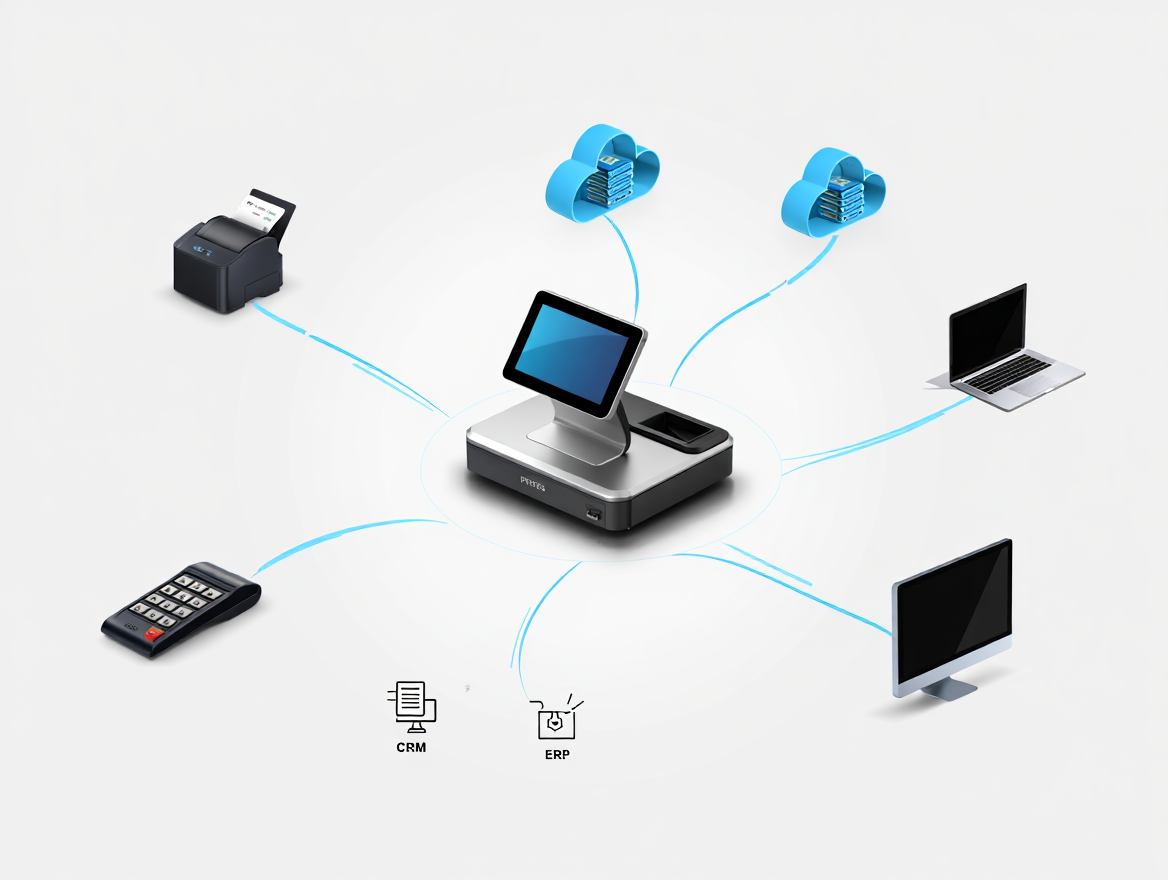
Why Your Network Setup Matters More Than You Think
A slow or unsecured network does not just frustrate your staff — it creates real business risk. Credit card data flowing over an unprotected connection is a liability. Guest Wi-Fi that shares the same bandwidth as your POS can cause checkout delays during peak hours. And a single network failure can bring your entire operation to a halt.
A proper business network setup for a restaurant or retail environment separates critical business traffic from guest traffic, keeps payment data isolated, and gives you the reliability your customers expect.
Step 1: Start With Business-Grade Hardware
Consumer-grade routers from your local electronics store are not built for the demands of a commercial environment. For a reliable business network setup for your restaurant or store, invest in:
• A business-class router with firewall capabilities (Cisco Meraki, Ubiquiti UniFi, or Fortinet are solid choices for small to mid-size operators)
• Managed switches to control how traffic moves through your network
• Commercial-grade wireless access points placed strategically for full coverage without dead zones
• A UPS (uninterruptible power supply) to protect equipment from power surges and brief outages
Step 2: Segment Your Network With VLANs
Network segmentation is the single most important step in building a secure network for retail or restaurant operations. A VLAN (Virtual Local Area Network) allows you to split one physical network into multiple isolated segments. Here is how a typical setup should look:
• POS/Payment Network: Completely isolated. Only your POS terminals, payment processors, and back-office systems live here. This is required for PCI DSS compliance.
• Operations Network: For inventory systems, kitchen display systems (KDS), manager workstations, and back-office computers.
• Staff Network: A separate connection for employee phones and tablets — away from payment traffic.
• Guest Wi-Fi: A fully isolated network for customer access. Guests should never be on the same network as any business system.
Segmentation limits the damage if any one device or segment is compromised. It also keeps your payment environment clean for PCI compliance audits.
Step 3: Lock Down Your Wireless Access
Wireless networks are the most common attack surface for small businesses. For a secure network in a retail or restaurant setting:
• Use WPA3 encryption on all business SSIDs (WPA2 minimum if WPA3 is unavailable)
• Change default router and switch passwords immediately — default credentials are publicly known
• Disable WPS (Wi-Fi Protected Setup), which is a known vulnerability
• Set your business SSIDs to not broadcast publicly — connect devices manually
• Rotate Wi-Fi passwords on a schedule, especially after staff turnover
Step 4: Protect Your Payment Environment
If you accept credit or debit cards — and nearly every restaurant and retailer does — you are subject to PCI DSS (Payment Card Industry Data Security Standard). A secure network for retail and restaurant payment processing requires:
• An isolated payment network (see VLANs above)
• A hardware firewall between your POS network and everything else
• End-to-end encryption from terminal to processor
• No remote access to the payment network without a VPN and multi-factor authentication
• Regular vulnerability scans if you process above a certain volume threshold
Non-compliance with PCI DSS can result in fines and the loss of your ability to process card payments. It is not optional.
Step 5: Set Up Remote Monitoring and Maintenance
A well-built network should not require constant on-site attention. With managed networking equipment and a proper IT setup, you or your IT provider can monitor performance, push firmware updates, and troubleshoot issues remotely — before they become outages.
Look for these capabilities in your setup:
• Centralized network dashboard (cloud-managed options like Meraki make this straightforward)
• Automated alerts for device outages or unusual traffic patterns
• Scheduled firmware updates to close security vulnerabilities
• Firewall logging so you have a record of traffic in and out of your network
Common Mistakes to Avoid
• Using a single flat network for everything — POS, staff, and guests all on the same connection
• Skipping firewall configuration and relying on default settings
• Ignoring firmware updates until something breaks
• Allowing vendors and delivery drivers onto your internal Wi-Fi
• No backup internet connection — a secondary LTE failover can keep your POS running when your main ISP goes down
The Bottom Line
A secure business network for your restaurant or store is not a luxury — it is infrastructure. The cost of getting it right is a fraction of the cost of a breach, a compliance fine, or an afternoon of downtime on your busiest day of the week.
QSS helps independent restaurants, grocers, and retailers in the NJ/NYC metro area design, install, and maintain networks built for real-world commercial operations. From POS connectivity to guest Wi-Fi to PCI-compliant payment environments, we handle the technical side so you can focus on your customers.